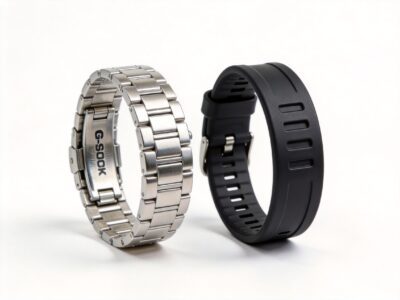
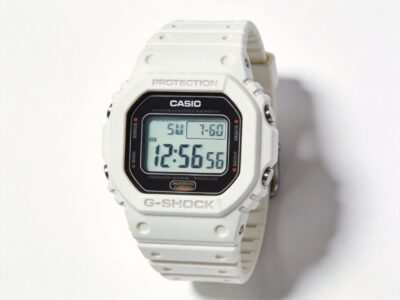
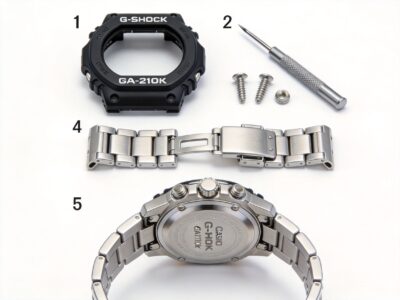
GA2100 strap replacement is the easiest way to transform your CasiOak’s look and feel. With the standard 22mm lug width, you have countless options from NATO straps to premium leather bands. This comprehensive guide covers everything you need to know.
Quick Reference
| Specification | Details |
|---|---|
| Lug Width | 22mm |
| Strap Types | NATO, Leather, Metal, Rubber, Canvas |
| Difficulty | Beginner (1/5) |
| Time Required | 5-10 minutes |
| Tools Needed | Spring bar tool ($8-15) |
Why Change Your GA2100 Strap?
The stock resin strap on the GA2100 is functional, but aftermarket options offer:
- Better comfort: Leather and canvas are softer on the wrist
- Unique style: Stand out with custom colors and materials
- Improved durability: Quality straps last longer than resin
- Versatility: Change straps to match different occasions
- Quick transformation: Completely change your watch’s personality in minutes
Popular Strap Options for GA2100
1. NATO Straps
Best for: Casual wear, summer, water activities
- Price range: $10-30
- Material: Nylon
- Pros: Durable, water-resistant, many colors
- Cons: Thicker profile, casual look only
2. Leather Straps
Best for: Business casual, dressier occasions
- Price range: $20-100+
- Material: Genuine or synthetic leather
- Pros: Classic look, comfortable, premium feel
- Cons: Not water-friendly, requires care
3. Metal Bracelets
Best for: Premium look, durability
- Price range: $30-150+
- Material: Stainless steel, titanium
- Pros: Durable, premium appearance, matches metal bezels
- Cons: Heavier, more expensive, can scratch
4. Rubber/Silicone Straps
Best for: Sports, water activities, casual wear
- Price range: $15-40
- Material: Rubber, silicone, TPU
- Pros: Water-resistant, comfortable, easy to clean
- Cons: Can attract dust, limited style options
5. Canvas/Tropic Straps
Best for: Vintage look, casual style
- Price range: $15-50
- Material: Canvas, rubber tropic
- Pros: Unique vintage aesthetic, comfortable, breathable
- Cons: Less formal, canvas can fray over time
Tools You Need
For strap replacement, you only need one essential tool:
Spring Bar Tool
A spring bar tool makes the job easy and prevents scratches:
- Basic tool: $8-15 (plastic handle, steel fork)
- Premium tool: $20-40 (ergonomic handle, multiple tips)
- Alternative: Small flathead screwdriver (not recommended, can scratch)
Step-by-Step Installation
Step 1: Remove the Old Strap
- Place your watch on a soft surface (microfiber cloth)
- Locate the spring bar between the strap and lug
- Insert the fork end of your spring bar tool
- Push the spring bar towards the center of the strap
- Lift the strap away once the spring bar is released
- Repeat for the other side
Step 2: Transfer Spring Bars
If your new strap does not include spring bars:
- Remove spring bars from the old strap
- Check they are 22mm and in good condition
- Insert into the new strap
Step 3: Install the New Strap
- Insert one end of the spring bar into the lug hole
- Compress the other end with your tool
- Slide it into position
- Release and ensure it clicks into place
- Gently pull the strap to confirm it is secure
- Repeat for the other side
Step 4: Check the Fit
- Ensure the strap sits flush against the case
- Check that there is no gap between strap and lugs
- Verify the spring bars are fully seated
- Try on the watch and check comfort
Strap Recommendations by Style
Stealth Look
- Black NATO strap
- Black leather with contrast stitching
- Black rubber dive strap
Royal Oak Style
- Stainless steel bracelet (brushed or polished)
- High-quality leather (brown or black)
- Integrated style strap
Summer/Beach
- Tropical rubber strap
- Colorful NATO strap
- Silicone sport strap
Professional/Office
- Black or brown leather
- Mesh bracelet
- Minimal canvas strap
Common Mistakes to Avoid
- Wrong size: Always confirm 22mm width for GA2100
- Scratching the case: Use proper tools and work slowly
- Loose spring bars: Always pull test after installation
- Ignoring orientation: Ensure the buckle faces the correct direction
- Forcing the strap: If it does not fit easily, check alignment
Where to Buy 22mm Straps
Online Retailers
- Amazon: Wide selection, fast shipping, reviews
- AliExpress: Budget options, longer shipping
- Etsy: Handmade and custom straps
- Specialty strap shops: Premium quality, more expensive
What to Look For
- Confirm 22mm width
- Check spring bar size (typically 1.8mm thickness)
- Read customer reviews
- Check return policy
- Compare prices across sellers
Frequently Asked Questions
What size strap does the GA2100 use?
The GA2100 uses a standard 22mm strap width. This is one of the most common sizes, giving you access to thousands of strap options.
Can I use quick-release straps?
Yes! Quick-release straps have built-in mechanisms that allow tool-free changes. They are slightly more expensive but very convenient.
Will any 22mm strap fit?
Most 22mm straps will fit, but check the thickness. Very thick straps may not sit flush with the case.
How often should I change my strap?
Change straps whenever you want a different look. There is no limit. Some owners rotate between multiple straps for different occasions.
Can I swim with a leather strap?
No. Leather straps are not water-resistant. Use NATO, rubber, or silicone straps for water activities.
Maintenance Tips
- Leather: Apply leather conditioner monthly, avoid water
- NATO: Wash with mild soap and water, air dry
- Metal: Clean with a soft cloth, check pins regularly
- Rubber: Rinse after salt water exposure
Related Guides
- G-Shock Modification Guide: Complete 2026 Tutorial
- How to Install a GA2100 Bezel
- G-Shock Mod Tools: The Ultimate Kit for Beginners
Image/Video Placeholder: Add photos showing different strap options on GA2100, installation process, and style comparisons.
Transform your CasiOak with the perfect strap! Browse our other modification guides for more ways to customize your G-Shock.